
Latest build available now

Download the dk999 latest APK

The official dk999 app download for Android — a 48MB install that gives you the full slot library, the wallet and 24/7 support in one place. This page walks you through every step, including the permission screen that confuses most first-time installers.

ڈی کے 999 ایپ کی تازہ ترین اے پی کے فائل ڈاؤن لوڈ کریں اور چند منٹ میں انسٹال کریں۔

Free download. 18+ only. Terms and conditions apply to the ₹10,000 welcome bonus — see the Terms & Conditions page.

48 MBFile size
Android 6+Requirement
FreeDownload cost
~60 secInstall time
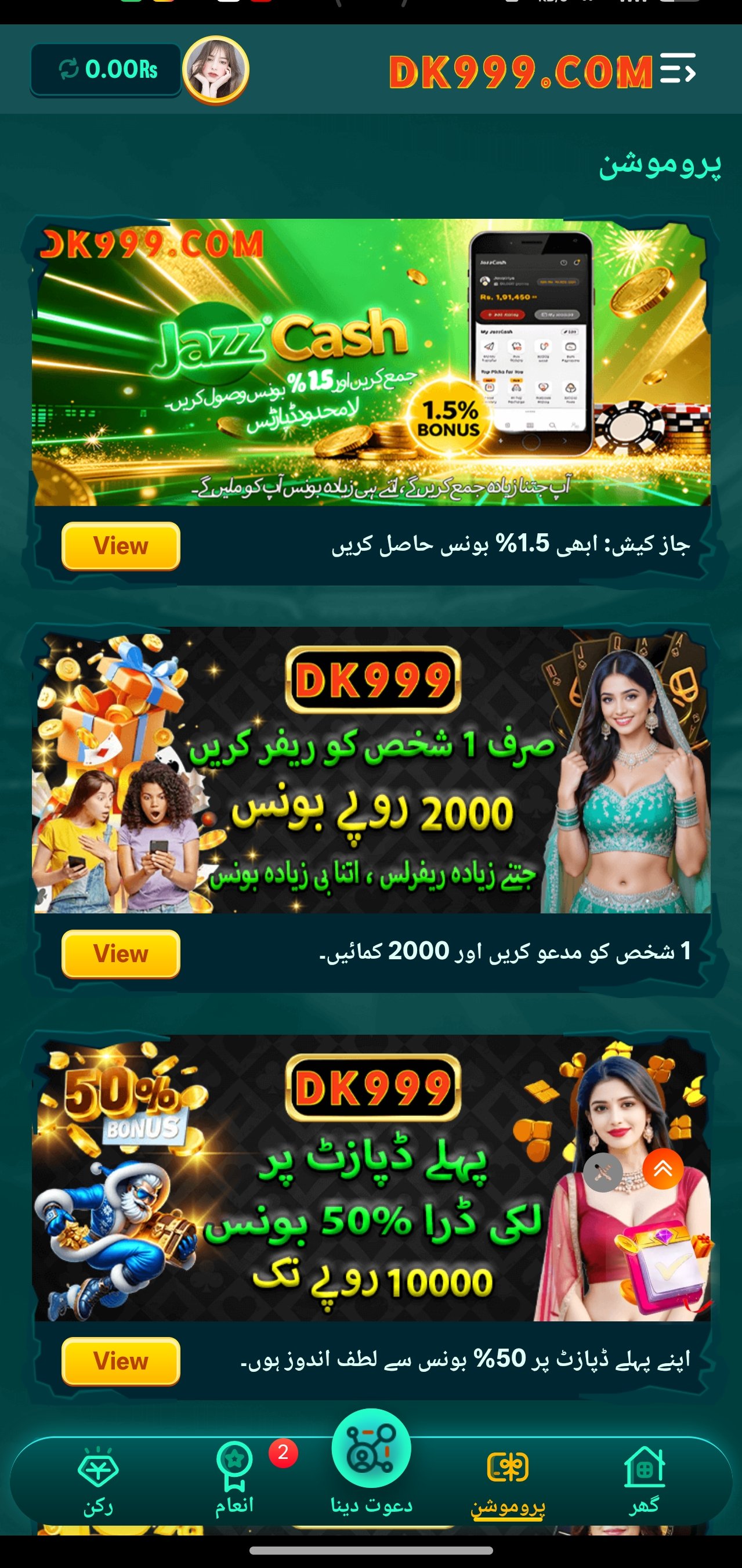
dk999 app promotions screen showing deposit bonus offers
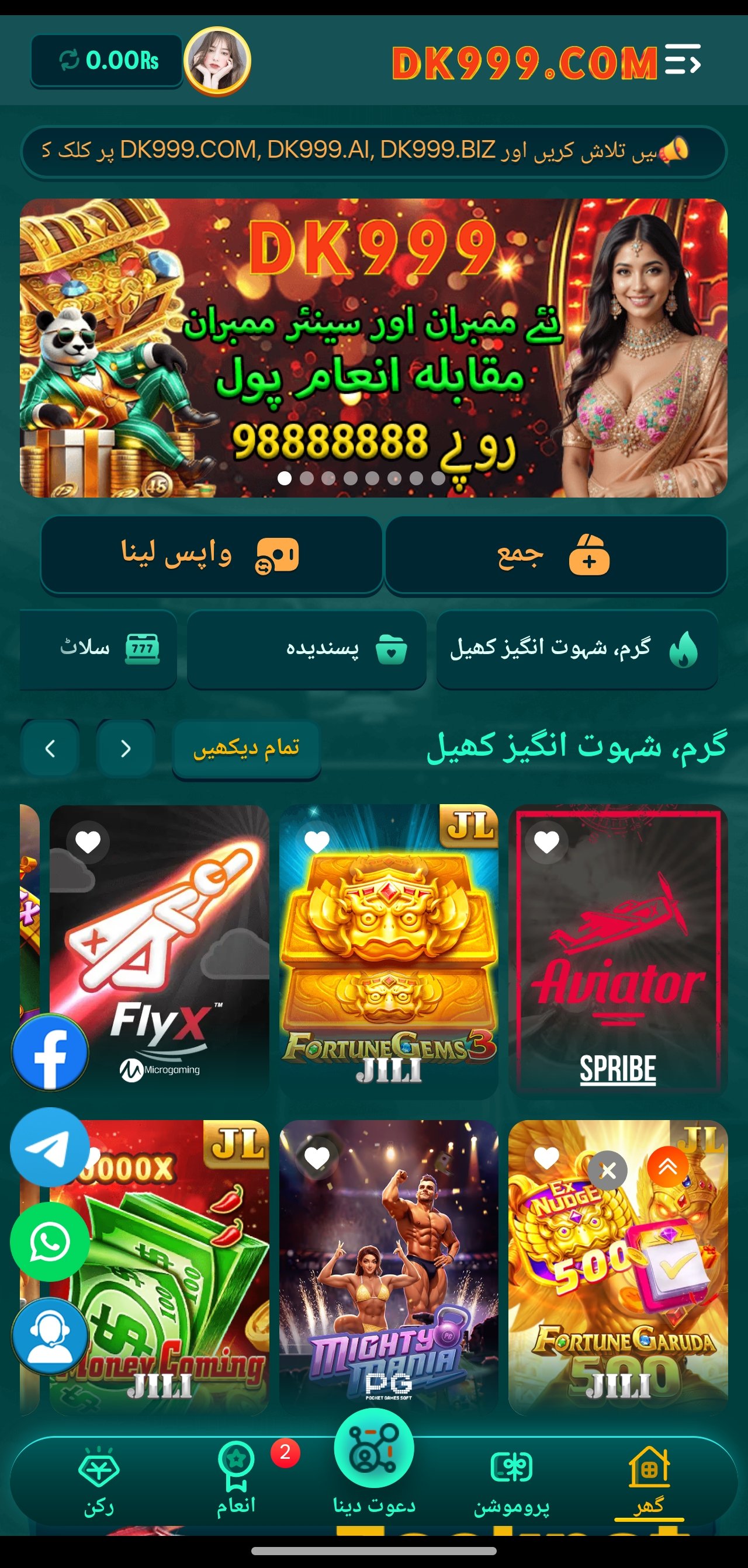
dk999 app slot game lobby with featured titles and jackpot banner
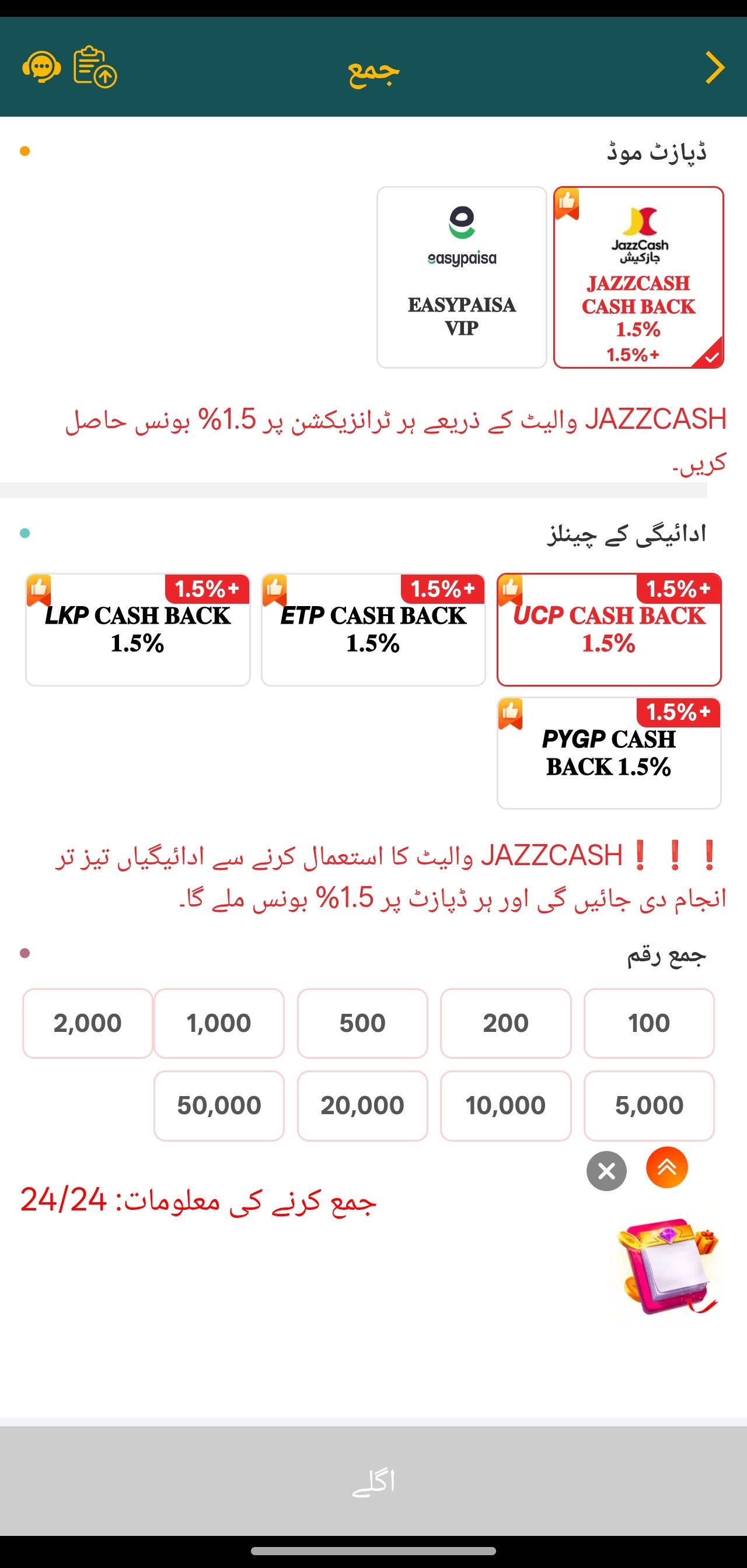
dk999 app deposit screen with JazzCash and EasyPaisa channels
Six steps, five minutes

How to install the dk999 app on Android

Because real-money gaming apps cannot be distributed through the Google Play Store in most regions, the dk999 APK installs directly. That is normal and safe when you download from the official link — here is exactly what to expect at each stage.

1

Open the official download link

Tap the Download button anywhere on this page. It opens the official dk999 download page in your browser — no intermediate ad pages, no shortened redirect chains to click through.

Tip: Use Chrome or your phone's default browser. In-app browsers inside social media apps sometimes block file downloads.
2

Confirm and save the APK

Android may warn that "this type of file can harm your device". That message appears for every APK regardless of origin — it simply means the file came from outside the Play Store. Tap Download anyway to continue.

File: roughly 48MB. On a 4G connection the download completes in around 20–40 seconds.
3

Allow installation from unknown sources

Open the downloaded file. Android will ask for permission to install unknown apps from the app you used to download it. Tap Settings, switch on Allow from this source, then press back.

Where: Settings → Apps → Special access → Install unknown apps (wording varies slightly by manufacturer).
4

Install and open

Tap Install. The installer takes about 20–30 seconds. If Play Protect offers to scan the app, allowing the scan is fine and does not block the install. When it finishes, tap Open.

Storage: keep at least 150MB free — the app caches game assets after first launch.
5

Create your account

Register with your Pakistani mobile number. You will receive a one-time password by SMS — enter it, set a strong password, and your account is live. No documents are required at this stage.

Do it now: complete profile verification before your first withdrawal, not after. It is the single biggest factor in payout speed.
6

Deposit and claim your bonus

Open the wallet, choose JazzCash, EasyPaisa or bank transfer, and make your first deposit. The welcome offer of up to ₹10,000 appears on the promotions screen — read the wagering requirement before you opt in.

Reminder: Terms and conditions apply. See Terms & Conditions page for full eligibility and wagering details.
Compatibility

System requirements

The dk999 new app is deliberately light. If your handset can run WhatsApp and a browser comfortably, it can run dk999.

dk999 app minimum and recommended system requirements
RequirementMinimumRecommended
Operating systemAndroid 6.0Android 10 or newer
RAM2 GB4 GB or more
Free storage150 MB500 MB
Screen720 × 12801080 × 2340
Connection3G4G / 5G or Wi-Fi
ProcessorQuad-core 1.4 GHzOcta-core 2.0 GHz

iPhone and iPad users

There is no App Store build, but the full platform runs in Safari. Open the same link, sign in, and use Share → Add to Home Screen to create an icon that launches the site full-screen — functionally very close to the Android app.

Desktop and laptop

The web version works in any modern desktop browser. Game visuals scale up cleanly, though the interface is designed mobile-first, so the phone experience remains the smoother of the two.

Data usage

Expect roughly 30–60MB per hour of active play. The first launch of any new slot title downloads its assets once and then caches them, so repeat sessions on familiar games use noticeably less.

If something goes wrong

Common install problems and fixes

Nearly every failed APK install comes down to one of five causes. Work through these before contacting support — most are resolved in under a minute.

"App not installed" error

Almost always a storage or version conflict. Free up at least 200MB, then check whether an older dk999 build is already installed — if so, uninstall it first and install the new APK cleanly.

Restart the phone if the error repeats; a stale installer process can block the new package.

Download keeps failing

Switch between mobile data and Wi-Fi and try again — some ISPs interfere with large file downloads. If you are using a browser inside another app, open the link in Chrome instead.

Clear your browser's download queue if a partial file is stuck.

Play Protect blocks the install

Tap More details → Install anyway. Play Protect flags all apps distributed outside the Play Store; the warning reflects the distribution method, not an analysis of the file itself.

Only ever install the APK obtained from the official link on this site.

OTP not arriving

Confirm the number was entered without the country code duplicated, check that SMS is not blocked by a spam filter, and wait the full 60 seconds before requesting a resend.

If it still does not arrive, support can verify the account manually on Telegram.

App opens but games do not load

Game assets stream on first launch. A weak connection stalls that download and leaves a blank game screen. Move to a stronger signal, close and reopen the app, then retry the title.

Clearing the app cache from Android settings resolves persistent cases.

Update will not install

Install the new dk999 new APK over the existing one rather than uninstalling first — signatures must match, and a clean reinstall is only needed if the versions conflict.

Your balance and history live server-side, so nothing is lost either way.

Download safely

Only install from the official source

The single biggest risk with any APK is not the file format — it is the mirror you got it from. Repackaged APKs hosted on third-party download sites can contain code the original build never had, and because they carry the same name and icon, there is no way to tell by looking.

Every download button on this site points to the official dk999 app distribution link. If you find the dk999 latest APK advertised elsewhere at a different file size, treat it as untrustworthy regardless of how convincing the page looks.

  • Download only from this site or the operator's own announcements
  • Check the file size — the genuine build is around 48MB
  • Never install an APK sent to you privately by an unknown contact
  • Keep Play Protect enabled; allow it to scan the installed app
  • Verify update announcements on the official news channel before installing a new build
Answers

Download & install FAQ

The official build is distributed directly by the operator rather than through the Play Store, which is standard practice for real-money gaming apps. The Android warning you see is about the distribution method, not the contents of the file.

What genuinely matters is the source. Install only from the link on this page or from the operator's own channels, and never from a third-party APK mirror.

The APK itself is roughly 48MB. Once installed, game assets cache locally and the app typically settles around 150–250MB depending on how many different slot titles you play. Clearing the cache from Android settings frees that space without affecting your account.

No. Install the new APK over the existing one — Android treats it as an update and keeps your app data. Only uninstall first if the installer reports a signature or version conflict.

Yes. Your account lives on the operator's servers, so installing on a second device and signing in gives you the same balance, bonus progress and history. Logging in from a new handset may trigger a one-time verification step for security.

Android 6.0 (Marshmallow) is the floor, which covers handsets released from roughly 2015 onward. On a 2GB-RAM device the lobby and classic slots run comfortably; the heaviest cinematic titles may take a few extra seconds to load.

The app prompts you on launch when a newer build exists. Release notes and download links are also posted to the news and promotions channel as soon as a build goes live, usually alongside the new slot titles it ships with.

One tap away

Get the dk999 app and claim ₹10,000

Free download, five-minute setup, and a welcome package worth up to ₹10,000 across your first deposits. Support is on Telegram the whole way through if you get stuck.

Terms and conditions apply. See Terms & Conditions page for full eligibility and wagering details. 18+ only. Gambling involves financial risk and may be addictive — play responsibly.

dk999 latest APK · 48MB Free download · ₹10,000 welcome bonus · T&Cs apply
Download
Telegram Group